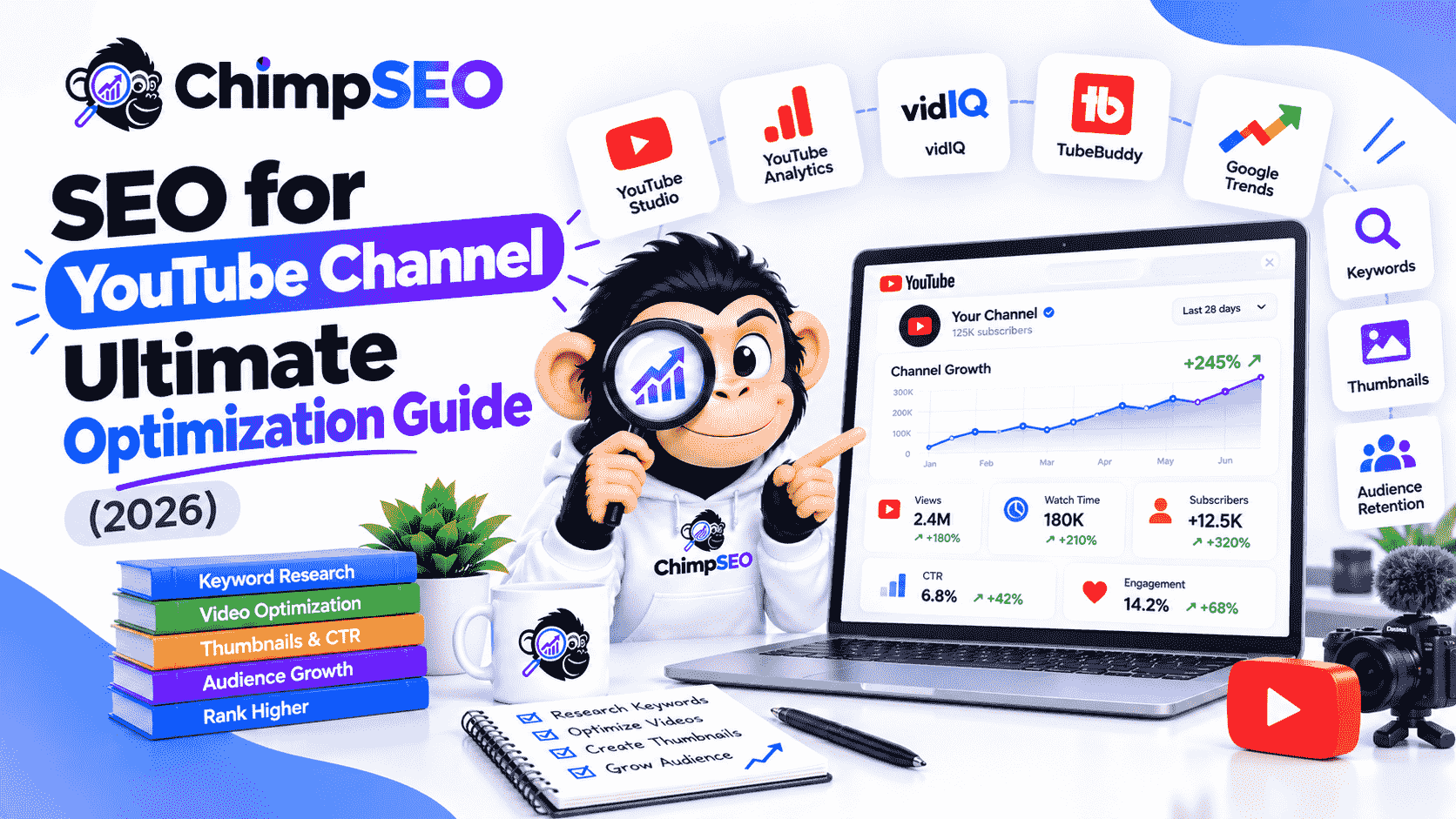
Quick Answer: Effective SEO for YouTube channels involves optimizing both channel-level settings (channel keywords, layout, description) and individual video assets (titles, descriptions, timestamps, closed captions, and custom thumbnails). YouTube's algorithm prioritizes click-through rate (CTR), watch time, and audience retention. By aligning content with user search intent, organizing playlists, adding SRT transcripts, and targeting high-volume keywords, creators and brands can rank higher across YouTube Search, Suggested Videos, and Google SERPs.
YouTube stands as the world's second-largest search engine and second-most visited website globally. Yet, millions of creators and SaaS brands publish high-quality video content every week only to yield double-digit view counts. The missing ingredient is rarely video production value; it is systematic search engine optimization tailored specifically to YouTube's unique algorithmic ecosystem.
Executing an effective strategy for YouTube channel SEO requires understanding that YouTube functions simultaneously as a search engine and a predictive recommendation discovery feed. Optimizing your channel isn't just about stuffing tags into a settings panel—it requires a holistic optimization framework that converts cold search traffic into loyal subscribers and buyers.
What is YouTube SEO and How Does the Algorithm Work?
YouTube SEO is the process of optimizing your channel page, video metadata, audio-visual assets, and engagement signals so your content ranks higher in YouTube search results, Google search video carousels, and algorithmic recommendation feeds (Suggested Videos and Browse Features).
Understanding Search Signals vs. Recommendation Signals
To rank consistently, you must distinguish between search signals and recommendation signals:
- Search Signals: Driven by metadata and query relevancy. When a user enters a query into the YouTube search bar, the system scans video titles, video descriptions, spoken dialogue (transcripts), and channel keywords to identify relevant content matching the user's intent.
- Recommendation Signals: Driven primarily by user behavior and satisfaction metrics. Once search algorithms present your video to a viewer, recommendation systems monitor how the viewer interacts with it. High engagement prompts YouTube to display the video in the Suggested sidebar and on the homepage (Browse Features).
Key Algorithmic Metrics: CTR, Retention, and Watch Time
YouTube's primary business objective is viewer retention. The longer users stay on the platform viewing ads, the more profitable YouTube remains. Consequently, the algorithm rewards videos and channels that drive three specific metrics:
| Core Metric | What It Measures | How YouTube Uses It |
|---|---|---|
| Click-Through Rate (CTR) | The percentage of impressions that convert into actual video views. | Measures title and custom thumbnail compellingness against search intent. |
| Average View Duration (AVD) | The average length of time (in minutes and seconds) a viewer stays on your video. | Evaluates content depth, hook quality, and viewer satisfaction. |
| Cumulative Watch Time | Total aggregate minutes viewers spent watching your content across all views. | Primary ranking metric for push-level promotion in search and suggested feeds. |
How to Perform Effective Keyword Research for YouTube
Successful keyword research forms the foundation of YouTube discoverability. Unlike text-based search engines where long-form essays can rank for hundreds of latent keywords, video topics must align tightly with concise, problem-focused search terms.
Leveraging YouTube Autocomplete & Related Searches
The fastest free source of real-time audience search query data is YouTube autocomplete. When you begin typing a phrase into the YouTube search bar, the auto-suggest mechanism displays actual queries frequently submitted by users.
- Open an incognito browser window and go to YouTube.
- Type your root industry topic (e.g.,
seo toolorb2b marketing). - Append variations using letters (e.g.,
seo tool a,seo tool b) or wildcard characters to surface specific long-tail queries. - Examine the bottom of the search results page for related queries and secondary user questions.
Analyzing Audience Intent and Competitor Top Performers
Keyword search volume alone does not guarantee views. You must analyze the target search intent. Search intent on YouTube falls into three main buckets:
- Informational / How-To: Viewers seeking immediate visual solutions or tutorials (e.g., "how to do keyword research").
- Comparative / Commercial: Viewers evaluating products or software (e.g., "VidIQ vs TubeBuddy").
- Entertainment / Inspiration: Viewers looking for case studies, teardowns, or industry news.
Inspect top-performing competitor videos for your targeted search phrase. Look at their upload date, view velocity, structural hooks, and video length. If the top five ranking videos for a term are 15-minute step-by-step tutorials, creating a 2-minute superficial overview will fail to satisfy user search intent.
Validating Search Volume with Third-Party Research Tools
While autocomplete gives qualitative query ideas, third-party YouTube SEO tools quantify opportunity by estimating monthly search volume, competition density, and keyword difficulty scores:
- Ahrefs Keywords Explorer for YouTube: Provides country-specific search volume estimations and click metrics.
- VidIQ & TubeBuddy Extensions: Provide directly inside the browser search interface real-time keyword competition levels and related tag suggestions.
- AnswerThePublic: Uncovers conversational questions and prepositional queries to structure tutorial sub-topics.
Channel-Level SEO: Optimizing Your YouTube Channel Settings
Many creators spend hours tweaking single video upload settings while completely ignoring channel-level SEO. Channel optimization teaches YouTube's entity recognition system what broad niche your overall brand covers.
Adding Strategic Channel Keywords in YouTube Studio
Channel keywords tell YouTube's recommendation engine which niche communities and topic clusters your channel serves.
- Log into YouTube Studio.
- From the left navigation menu, click Settings and select Channel.
- In the Basic Info tab, locate the Keywords field.
- Enter 10 to 15 highly relevant niche keywords, separated by commas. Include primary category terms, core subtopics, and your brand name (e.g.,
SaaS Marketing, B2B Growth, Video SEO, YouTube SEO Tools, ChimpSEO).
Writing a Search-Optimized Channel Description
Your channel description (located in the "About" tab) acts as a primary index asset for both YouTube Search and Google. Follow these structure rules:
- The First 150 Characters: Crucial because this snippet appears directly next to your channel name in search results. State clearly what your channel offers and include your core primary keyword in the first sentence.
- The Body Paragraphs: Explain your publishing schedule, core topics covered, brand positioning, and unique expertise. Integrate secondary target keywords naturally without keyword stuffing.
- Call-to-Action (CTA): Include links to your lead magnets, software trial, or website, along with a prompt to subscribe.
Optimizing Channel Name, Branding, and Homepage Layout
An organized homepage layout reduces bounce rate and converts cold search visitors into long-term channel subscribers.
- Featured Video / Channel Trailer: Set a compelling 60-to-90 second channel trailer for non-subscribers that highlights your content value. For returning subscribers, showcase your newest high-performing tutorial.
- Playlists Organization: Group related individual videos into strategic playlists optimized around specific parent keywords (e.g., "Complete Technical SEO Course"). YouTube playlists rank independently in search results and enable continuous auto-play, increasing total session watch time.
- Branding Assets: Use a clear high-resolution logo and a desktop/mobile-responsive banner that prominently states your value proposition.
Video Metadata Optimization: Titles, Descriptions, Tags, and Hashtags
Metadata serves as the primary textual roadmap for YouTube search crawlers and indexing engines.
Writing Click-Worthy Titles under 70 Characters
Your video title is the single most decisive metadata element for both SEO indexing and user CTR.
- Character Limit: Keep titles under 70 characters (ideally 50–65 characters) to prevent awkward truncation on mobile devices.
- Front-Load Keywords: Position your exact target search term near the beginning of the title.
- Incorporate Emotional / Curiosity Triggers: Combine search clarity with high-CTR phrases (e.g., "SEO for YouTube Channel: 7 Step Checklist That Works").
Structuring Video Descriptions for Search and Links
A well-structured video description helps algorithms contextualize video dialogue while providing conversion paths for readers.
- Section 1: The Summary Hook (First 1–2 Sentences): Summarize the core value proposition of the video incorporating the exact primary keyword naturally.
- Section 2: Detailed Outline (150–300 Words): Elaborate on the core concepts discussed in the video. Incorporate secondary semantic terms and related industry entities.
- Section 3: Timestamps / Chapters: List navigational timecodes matching major topic transitions.
- Section 4: External Links & Social Proof: Provide links to referenced tools, blog posts, social channels, and product landing pages.
Best Practices for Video Tags and Hashtags
While video tags carry less ranking weight today than in previous algorithmic iterations, they remain important for clarifying misspellings and categorical ambiguity.
- Set your absolute first tag as your exact primary target keyword.
- Add 5 to 8 hyper-relevant secondary keyword variations and topic broad categories.
- Include 3 targeted hashtags in the video description field (e.g.,
#YouTubeSEO #VideoMarketing #GrowthHacking). These appear above or alongside the video title on mobile and desktop interfaces.
Maximizing CTR and Retention: Thumbnails, Hooks, and Chapters
Metadata gets your video indexed, but engagement signals dictate whether it stays at the top of search rankings.
Designing High-Contrast, Mobile-First Custom Thumbnails
Thumbnails represent up to 80% of a viewer's decision to click. To ensure maximum CTR performance:
- Mobile-First Framing: Over 60% of YouTube consumption occurs on mobile screens. Test thumbnail clarity at small dimensions (150px wide).
- High Contrast & Saturated Colors: Use bold color backgrounds that stand out against YouTube's dark and light UI themes.
- Minimal Text Overlay: Limit text to 3 or 4 impactful words. Do not simply repeat the exact title string; use visual complementary text that builds curiosity.
- Expressive Human Elements: Close-up faces displaying clear emotion draw higher click rates than abstract graphics alone.
Hooking Viewers in the First 10 Seconds to Boost Retention
The initial 10 to 30 seconds of a video determine its overall audience retention curve. If retention drops sharply in the opening seconds, YouTube halts promotional distribution.
- Eliminate Filler Intros: Skip lengthy animated logos, musical intros, or generic corporate welcomes.
- Confirm Search Intent Immediately: Verbally re-state the exact topic or problem the user searched for within the first 5 seconds.
- Visual Pacing: Cut to dynamic visuals, pattern interrupts, or screen demonstrations every 3 to 5 seconds to hold visual attention.
Adding Timestamps and Closed Captions for Key Moments
To capture premier Google Search real estate and simplify user navigation, structure video chapters and upload manual SRT caption files.
Optimizing Video Chapters for Google SERP Key Moments
YouTube timestamps allow Google to parse video segments directly into search engine results pages as Key Moments interactive snippets. Formatting requires simple markup in the description:
00:00 - Introduction to YouTube SEO
01:15 - How YouTube Algorithm Ranks Content
03:40 - Keyword Research Blueprint
07:10 - Studio Channel Settings Setup
11:25 - On-Page Video Metadata Secrets
15:00 - Tracking Analytics for Optimization
Rule: Always start with 00:00, include at least 3 timestamps in chronological order, and make each chapter minimum 10 seconds long.
Adding Manual SRT Transcripts
While YouTube automatically generates auto-captions, algorithmic automated speech recognition often misinterprets technical jargon, product names, and complex brand nomenclature. Uploading a custom .srt text transcript ensures:
- 100% indexing accuracy of spoken keywords by YouTube search crawlers.
- Enhanced accessibility for hearing-impaired audiences and sound-off mobile scrollers.
- Higher overall completion rates and overall average view duration.
Expanding Beyond Search: Suggested, Browse, and YouTube Shorts Feeds
While YouTube Search delivers steady long-tail traffic, scaling channel growth exponentially requires tapping into algorithmic discovery feeds like Suggested Videos and YouTube Shorts.
Optimizing Videos for the Suggested Videos Sidebar
The suggested videos feed accounts for a massive percentage of total platform traffic. To get your videos placed next to top-performing industry videos:
- Target Competitor Metadata Clusters: Use similar primary keywords, thematic topics, and tag groupings as high-ranking competitor uploads.
- Encourage Session Binging: End every video with clear YouTube End Screens and Cards pointing directly to a highly related sequel video or video playlist.
- Produce Topic Series: Structure multi-part educational series so viewers naturally watch consecutive videos in a single viewing session.
SEO Strategies for YouTube Shorts Discovery
YouTube Shorts provide rapid channel exposure. While indexing criteria differ slightly from long-form content, applying mobile vertical video SEO maximizes discovery:
- Keep duration under 60 seconds with an immediate, high-energy opening frame.
- Include target keywords directly inside the title along with
#Shorts. - Pin a strategic comment linking viewers to your full-length long-form video tutorial or channel homepage.
Essential YouTube SEO Tools for Creators and Brands
Equipping your workflow with specialized software streamlines keyword intelligence, tag mapping, and competitive benchmark tracking.
| Tool Name | Primary Category | Best For |
|---|---|---|
| VidIQ | Optimization Extension | Competitor scorecards, keyword difficulty scoring, daily trending ideas. |
| TubeBuddy | Channel Management | Bulk metadata updates, A/B testing thumbnails, search position tracking. |
| Keywordtool.io | Keyword Discovery | Extracting long-tail autocomplete queries across global locations. |
| Ahrefs | Comprehensive SEO Suite | Cross-platform search volume comparison and video SERP analysis. |
| Sprout Social | Social Analytics & Publishing | Social cross-promotion tracking, comment management, cross-channel ROI. |
VidIQ vs. TubeBuddy
Both VidIQ and TubeBuddy operate as official YouTube API-certified browser extensions. VidIQ excels in competitive intelligence, real-time trend alerts, and velocity tracking. TubeBuddy shines in operational efficiency, offering robust thumbnail A/B testing features and batch description editing.
Keywordtool.io, AnswerThePublic, and Sprout Social
Keywordtool.io leverages direct autocomplete scrapers to output hundreds of long-tail variations unavailable in standard Google Keyword Planner views. AnswerThePublic reveals conversational intent mapping, while platforms like Sprout Social manage multi-channel content scheduling and audience response workflows.
Measuring Success with YouTube Analytics
Sustained channel growth relies on iterative data evaluation inside YouTube Analytics.
Tracking Organic Impressions and Click-Through Rate
Navigate to YouTube Studio > Analytics > Content to audit your impressions and thumbnail performance.
- A sudden surge in impressions paired with a dropping CTR indicates YouTube is testing your video with broader, non-core audiences.
- If impressions remain low alongside a high CTR (>10%), your title and thumbnail resonate well, but search demand or keyword optimization is constrained.
Analyzing Audience Retention Graphs to Fix Drop-offs
The Audience Retention report shows precisely where viewers stay or abandon your video:
- Intro Spike / Dip: Evaluates if your video opening delivered on thumbnail promises.
- Gradual Slope: Indicates solid continuous engagement throughout the narrative.
- Sharp Drops: Highlights abrupt visual transitions, confusing technical explanations, or premature ending calls-to-action that caused viewers to leave.
Frequently Asked Questions
Where do I add channel keywords in YouTube Studio?
Navigate to YouTube Studio > Settings > Channel > Basic Info, then enter relevant tags that summarize your channel's primary topics, core categories, and target audience.
Do video tags still matter for YouTube SEO?
While YouTube heavily prioritizes engagement metrics like CTR, watch time, and retention, tags still provide valuable categorical context—especially your primary target keyword tag and intentional misspellings.
How long should a YouTube video title be for optimal SEO?
Titles should ideally be under 70 characters so they do not get truncated on mobile devices or search result lists, with your primary keyword positioned near the beginning.
How long does the channel description snippet show in search results?
The first 100 to 150 characters of your channel description appear next to your channel in search results, making those initial words critical for branding and primary target keywords.
Can optimizing YouTube videos help them rank on Google?
Yes. Google frequently ranks YouTube videos in regular web SERPs, particularly for how-to, review, and educational queries that trigger video carousels and Key Moments SERP features.
Scale Your SEO Growth with ChimpSEO
Generate rank-ready articles, launch programmatic landing pages, and automate backlink outreach.
Start Free Trial →